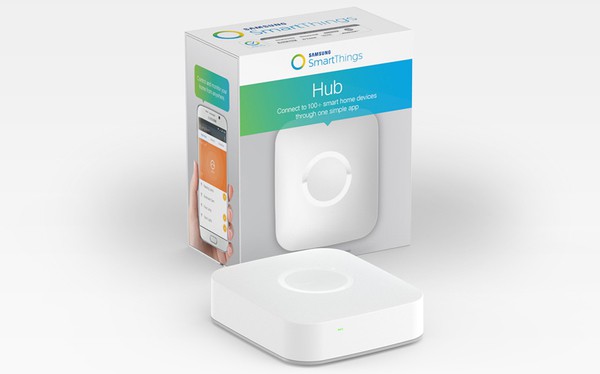
Samsung SmartThings Hub
Brand: Samsung
- Monitor your home from anywhere
- Control your home from the palm of your hand
- Connect smart sensors, lights, locks, cameras, and more
- Add any of the hundreds of smart devices to enhance your home
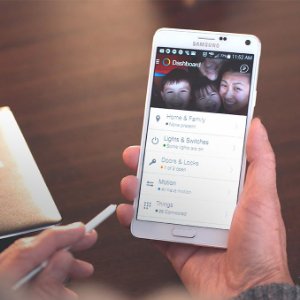
- Easy to use with the free SmartThings app on iOS and Android
- Secure your home and protect it from damage and danger
Genuine Product
100% Authentic
Warranty
Manufacturer Warranty
Fast Shipping
All over India
Expert Support
Mon-Sat Support
Product Description
SmartThings Hub
The heart of your SmartThings Ecosystem
The Samsung SmartThings Hub is the central unit or the heart of your entire SmartThings ecosystem that helps you wirelessly connect several smart devices to each other, connects to App as well as the Cloud. You just need to pair the devices to the Hub and get started.
|
|
The Heart of Your Smart Home
The centerpiece of the Samsung SmartThings product line, the Samsung SmartThings Hub controls hundreds of compatible devices that you can use to customize your smart home. With a Samsung SmartThings Hub, you can connect smart sensors, lights, locks, cameras, and more and control them from your smartphone with the free Samsung SmartThings app. You can use these smart devices to monitor your home from anywhere, control your home from the palm of your hand, secure your home and protect it from danger, and much more. Samsung SmartThings devices are designed to work together and allow you to add as many devices as you want. |
|
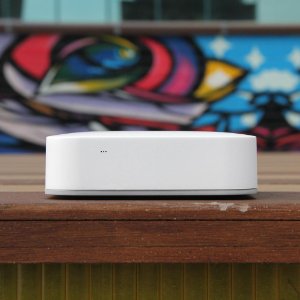
Easy to Use and Install Using and installing the Samsung SmartThings Hub is simple thanks to the intuitive Samsung SmartThings app. Simply plug the hub into a wall outlet and connect the included Ethernet cable to your router. The Samsung SmartThings app will recognize your Samsung SmartThings Hub and other connected compatible devices; allowing you to customize your settings for complete control of your home. The Samsung Hub also comes with four AA batteries, which offer 10 hours of backup power if the hub comes unplugged or if there is a power outage. Samsung SmartThings app is available for iOS (7.0 or later), Android (4.0 or later), and Windows Phone (8.1 or later).
|
|
|
|
Works with Other Samsung SmartThings Products for a More Intelligent Home
Use multiple Samsung SmartThings products together to respond to activities or changes in your home. For example, by using the Samsung SmartThings Outlet and Water Leak Sensor together; you can set portable heaters and fans to turn on or off if the temperature changes. The Samsung SmartThings Hub is available to purchase separately or as part of the Samsung SmartThings Home Monitoring Kit. Additionally the SmartThings Hub can also work with various other third party products from Bose, Schlage, Yale, Cree, Osram Lightify, Honeywell, First Alert, and other brands. |
Specifications
What's in the box?
- SmartThings Hub
- Quick-Start Guide
- Power Supply
- Ethernet cable to connect the SmartThings Hub to your router
- AA batteries x 4
Requirements
- Requires an Internet-connected router with an available Ethernet port
- Requires the free SmartThings app for iOS (8.1 or later), Android (4.0 or later), or Windows Phone (8.1 or later)
Technical Information
- Power: In-wall power adapter with about 10 hours of backup power from 4 AA batteries (included)
- Communication Protocol: ZigBee, Z-Wave, IP
- Range: 50-130 feet
- Operating Temperature: 41 to 95°F
- Dimensions: 4.2 x 4.9 x 1.3 inches
- Weight: 7.68 ounces
- Color: White
Manufacturer Information
- Model Number: F-H-ETH-001
- Includes a one-year limited warranty
Professional Installation Available In
Get expert installation for Samsung SmartThings Hub in these cities with certified technicians and comprehensive warranty support.
Don't see your city? We're expanding! Contact us to check availability in your area or view all service locations.
Product Manuals
Tutorials & Guides
Need Help Choosing?
Our smart home experts can help you find the perfect products for your home.